Features
Pricing
Blog
Docs
FAQ
Contact
Affiliates
Sign In
Get Started
Features
Pricing
Blog
FAQ
Contact
Affiliates
Get Started Free
← All help articles
Account & Security
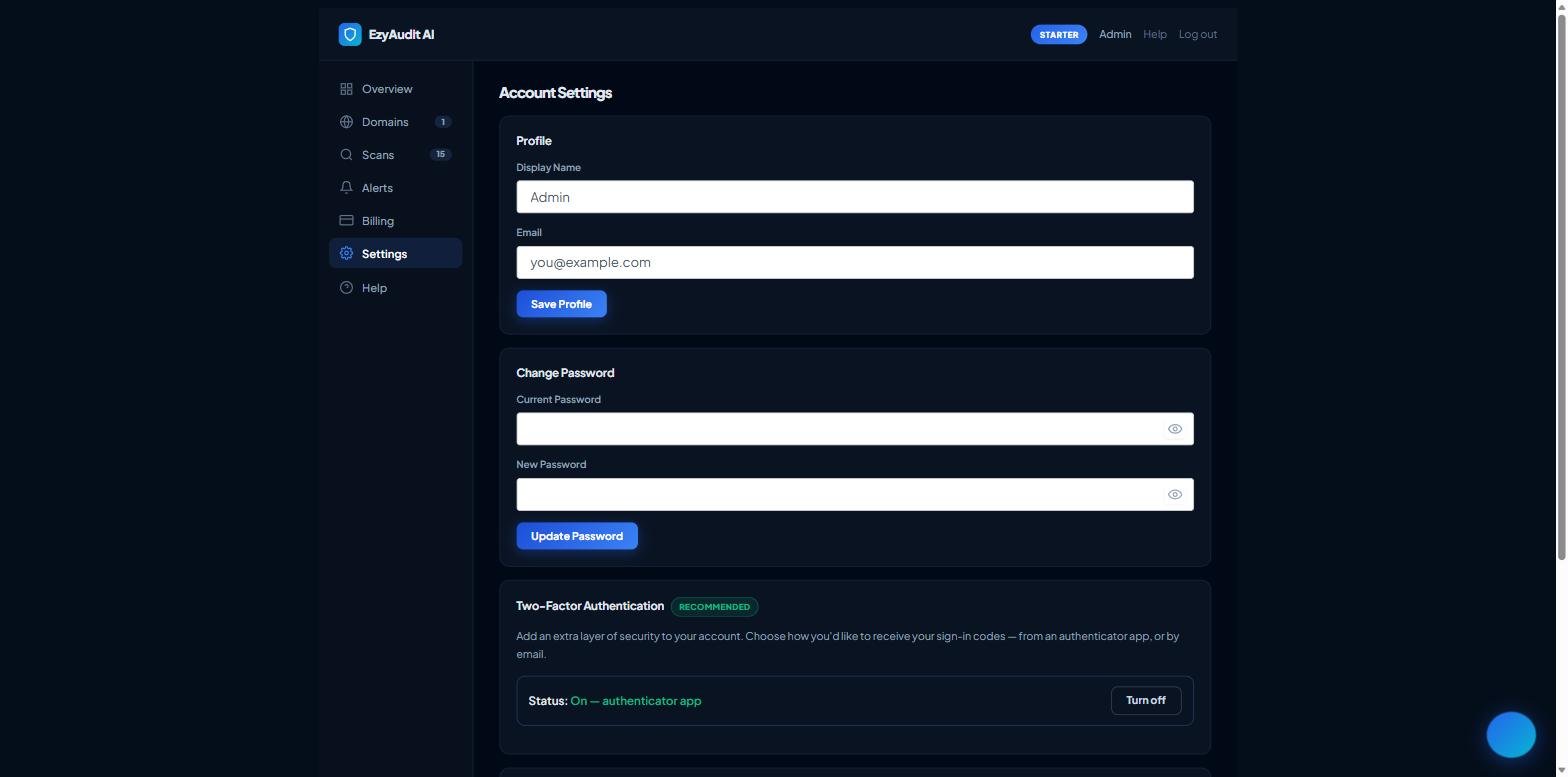
Updating your profile
Open your
Dashboard
and go to
Settings
, then the
Profile
card.
Update your
name
and/or
email address
.
Click
Save
. An email can't be used if it already belongs to another account.
The Profile card in Settings
Related articles
Enabling two-factor authentication (2FA)
Changing or resetting your password
Deleting your account
Still stuck?
Contact support
and we'll help.
Scroll to Top
🛡ï¸
EzyAudit AI Support
Online — typically replies in seconds
×
Connect with our support team:
Send to Support Team →
Or check our FAQ page for common questions →