What Does Your Website Security Score Mean? A-F Grade Explained
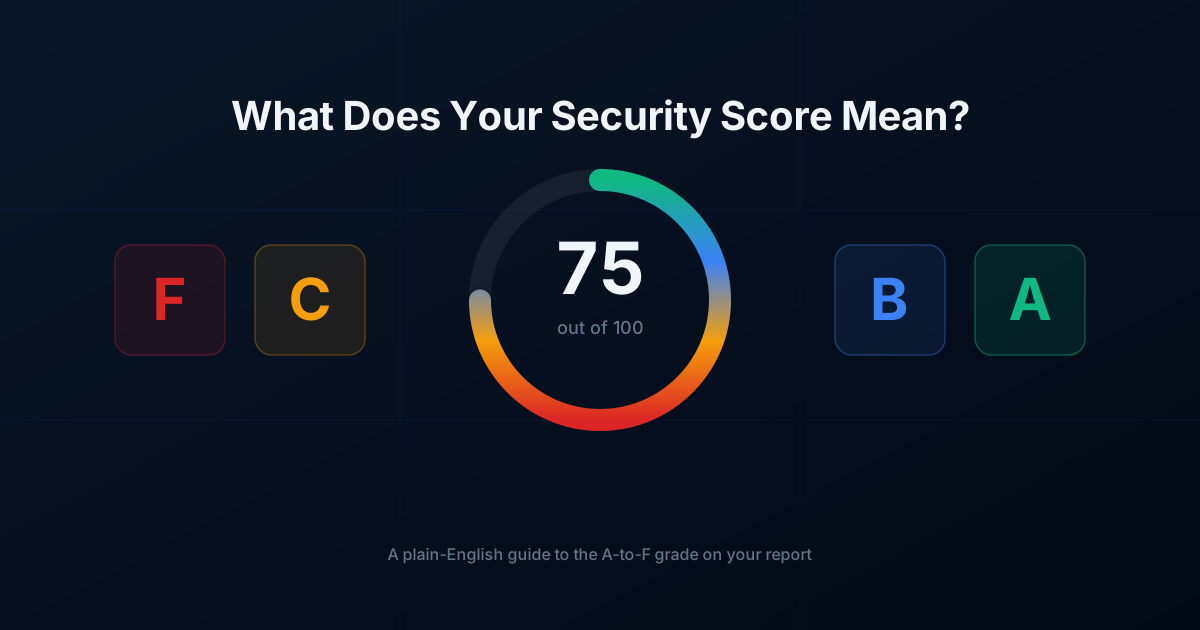
Your website security score is a quick grade of how exposed your site is to attack. This guide explains what your website security score actually measures and how to improve it.
If you run a business on WordPress, you have likely run a website security scan and received a letter grade ranging from A to F. But what does a website security score actually mean for your business? Does an ‘A’ grade mean your site is completely unhackable? Does a ‘C’ mean you are about to be targeted by cybercriminals?
Understanding your site’s security score is essential for protecting your customer data, maintaining your Google search rankings, and protecting your revenue. In this guide, we will break down what these grades mean in plain English and show you how to fix common security vulnerabilities.
What is a Website Security Score?
A website security score is a consolidated metric that evaluates your website’s defense mechanisms against known cyber threats. Think of it like a credit score, but for your website’s digital hygiene. Security scanners evaluate several critical components of your WordPress site, including:
- Software Updates: Whether your core WordPress installation, plugins, and themes are up to date.
- Known Vulnerabilities: Presence of unpatched security flaws in active software.
- SSL/TLS Configuration: Encryption standards protecting data sent between your server and users.
- Security Headers: HTTP headers that tell browsers how to handle your site’s content securely.
- Malware and Blacklisting Status: Whether your domain is flagged by search engines or anti-virus databases.
The A-F Security Grade Breakdown
Most security scanners evaluate your digital assets and condense complex technical findings into a simple letter grade. Here is what each grade typically signifies for your site.
Grade A: Excellent Security Posture
An ‘A’ grade means your WordPress site implements modern security best practices. All plugins, themes, and core files are fully updated, strong SSL encryption is active, and protective HTTP headers are in place. While no system is 100% immune to new zero-day attacks, an A score means automated attack bots will likely move on to easier targets.
Grade B: Good, But Minor Tweaks Required
A ‘B’ grade indicates strong baseline protection, but slight gaps exist. Your software is generally up to date, but you might be missing advanced security headers (like Content Security Policy) or running slightly outdated, non-critical plugins. Fixing these minor issues will elevate your site to an A.
Grade C: Moderate Risk (Action Recommended)
A ‘C’ grade is a warning sign. It often indicates multiple outdated plugins, weak server configurations, or missing SSL settings. Websites with a C grade are vulnerable to automated opportunistic attacks. If your site falls into this category, you should perform an audit using a tool like EzyAudit AI to pinpoint exactly which components need immediate patching.
Grade D: Poor Security (Immediate Action Required)
A ‘D’ grade means critical security protocols are missing or broken. This usually stems from severely outdated software, active vulnerabilities in popular plugins, or misconfigured web servers. Your site is at high risk of defacement, data theft, or injected malicious redirects.
Grade F: Severe Vulnerability / Active Infection
An ‘F’ grade represents an emergency. Your website likely contains known, easily exploitable vulnerabilities, active malware infections, or has been blacklisted by Google Safe Browsing. Immediate quarantine and cleanup are required to prevent permanent damage to your brand and SEO rankings.
Why a High Security Score Matters for Your Business
Security is not just an IT concern—it directly impacts your bottom line. Here is why maintaining a high security grade is critical:
1. Google SEO Rankings: Search engines prioritize user safety. If your site is compromised or lacks standard security features like HTTPS, Google may lower your rank or display a warning screen to visitors, causing traffic to drop overnight.
2. Customer Trust and Conversion Rates: Modern web browsers actively flag insecure sites. If prospective clients see a “Not Secure” warning in their address bar, they will leave your site and buy from a competitor.
3. Preventing Costly Downtime: Cleaning up a hacked WordPress website costs significantly more than maintaining it. The financial cost of downtime, customer notification, and technical remediation far exceeds regular monitoring.
3 Simple Steps to Improve Your Security Score Today
You do not need to be a developer to raise your website’s security grade. Follow these straightforward steps to bolster your WordPress defenses:
- Update Everything: Over 80% of WordPress hacks stem from outdated core files, plugins, and themes. Enable auto-updates for minor patches and routinely test major updates.
- Enforce Strong Authentication: Require all administrators and users to use complex passwords and enable Two-Factor Authentication (2FA).
- Cross-Reference Vulnerabilities: Check your active plugin list against dedicated security databases. You can search the free EzyAudit AI vulnerability database to see if any of your active plugins have documented security flaws that require patching.
Automate Your Security Monitoring with EzyAudit AI
Manual checks are time-consuming, and security risks change daily as new plugin vulnerabilities are discovered. To keep your website safe without technical headaches, automated security scanning is essential.
With EzyAudit AI, you get automated, plain-English security reports tailored specifically for WordPress site admins and small business owners. Instead of overwhelming you with complex technical jargon, EzyAudit AI explains your security score clearly, highlights active risks, and gives you actionable steps to fix vulnerabilities before hackers can exploit them.
Ready to find out where your site stands? Scan your WordPress website today with EzyAudit AI and secure your digital assets in minutes.
What your website security score actually measures
A strong website security score is not the goal in itself; fixing what drags it down is. Guidance such as the MDN web security documentation explains the underlying issues. Scan your site with EzyAudit AI to get your website security score and a clear plan to raise it.